
Analyzing Live Market Tickers and Interactive Widgets Displayed on the Home Page of a Top Exchange
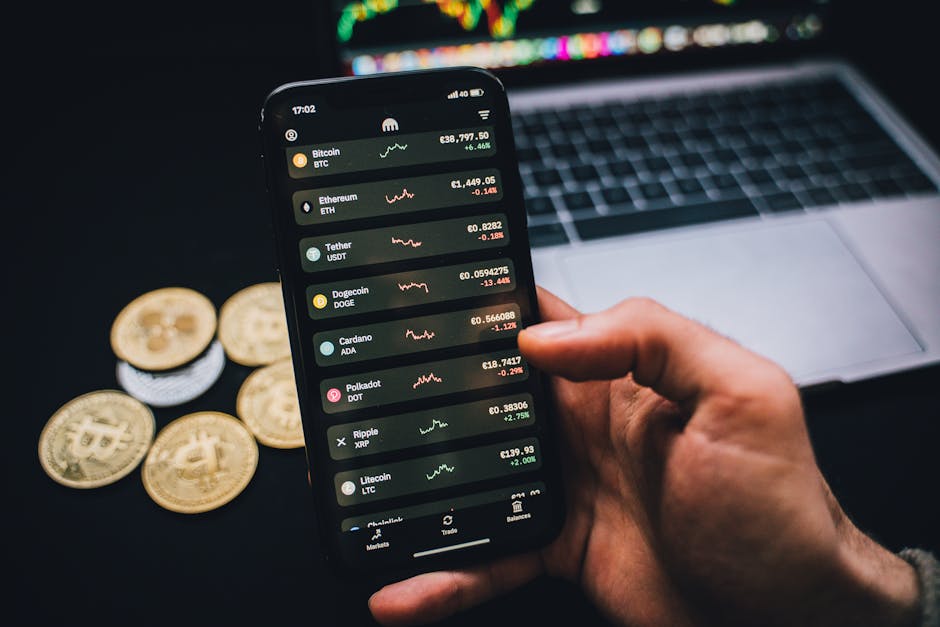
Understanding Live Ticker Data Streams
A live market ticker is the pulse of any exchange. It shows the last traded price, 24-hour volume, percentage change, bid/ask spread, and often the order book depth. On a top exchange, these tickers update in milliseconds. Traders use them to spot momentum shifts, liquidity gaps, and volatility spikes. For example, a sudden volume surge paired with a price jump on the home page indicates strong buying pressure, while a widening spread suggests market uncertainty.
Key metrics in a ticker include the high/low range, which sets immediate support and resistance levels. The “24h change” percentage tells you if the asset is trending or ranging. A green ticker with increasing volume often confirms bullish continuation. Conversely, a red ticker with declining volume may signal exhaustion. Always cross-check ticker data with the order book-if the sell side is thin, a small buy order can move price sharply.
Decoding Order Book Depth
Interactive order book widgets visualize supply and demand. A deep buy wall (large bids) near current price acts as temporary support. A thin ask side indicates potential for upward breakout. Watch for “spoof” orders-large bids or asks that disappear before execution-they fake market sentiment. Top exchanges highlight these anomalies in real-time.
Interactive Widgets: Charts, Heatmaps, and Sentiment
Beyond tickers, widgets like candlestick charts, volume histograms, and liquidation heatmaps provide context. A candlestick chart with adjustable timeframes (1m, 5m, 1h) lets you see microstructure. Heatmaps color-code order book density-red zones show heavy resistance, green zones indicate support. Some exchanges embed funding rate widgets for perpetual futures, revealing if longs or shorts dominate.
Sentiment widgets aggregate social media mentions or on-chain data. For instance, a spike in “buy” mentions on Twitter combined with rising ticker price often precedes a retail-driven rally. However, contrarian traders use extreme sentiment as a reversal signal. The key is to combine widgets: if the ticker shows a breakout but the funding rate is extremely positive, expect a short squeeze or pullback.
Volume Profile and Market Profile
Advanced widgets display volume profile-price levels with highest traded volume. These act as magnet zones. A ticker moving toward a high-volume node often stalls or reverses. Market profile shows time spent at each price level, helping identify fair value gaps. Top exchanges integrate these directly on the trading dashboard.
Practical Strategies Using Tickers and Widgets
Scalpers use ticker velocity (price change per second) to enter and exit fast. A ticker that jumps 0.5% in one second with high volume suggests a breakout. Combine with order book widget: if the ask wall is crumbling, go long. Swing traders look for divergence between ticker price and RSI widget-price making higher highs while RSI makes lower highs signals bearish divergence.
Another tactic: monitor the “top gainers/losers” widget on the home page. A coin that enters top gainers with low market cap often has short-lived pumps. Check its ticker volume-if it’s 10x average, it’s likely a one-time event. Use the “new listings” widget to catch early momentum-new pairs often see volatility in the first 24 hours.
Risk management: set price alerts from ticker data. If a ticker breaks below a key support level identified from the volume profile widget, exit immediately. Keep a mental note of the bid-ask spread-wide spreads during low liquidity hours (e.g., 2 AM UTC) cause slippage.
FAQ:
What is the most important ticker metric for day trading?
The bid-ask spread and volume. Tight spread with rising volume gives the best entry opportunities.
How do I spot fake volume on a ticker?
Compare ticker volume with order book depth. If volume is high but order book is thin, it may be wash trading.
Can interactive widgets predict price direction?
No widget predicts perfectly, but combining ticker momentum with order book imbalance gives probabilistic edges.
Why does the ticker freeze sometimes?
API rate limits or server lag. Always use WebSocket streams for real-time data on top exchanges.
Reviews
Alex M.
I use the ticker and order book widget daily. The depth chart helps me avoid fakeouts. Saved me from a bad trade yesterday.
Sarah K.
The heatmap widget on the home page is gold. It shows exactly where the big players are sitting. My scalping improved 30%.
Mike R.
I ignored ticker volume for months. Once I started watching volume spikes alongside price, my win rate jumped. Great for catching breakouts.